
How to Organize Cables and Chargers Neatly: Easy Tips for a Tidy Space

Keeping cables and chargers organized can seem like a never-ending task, but with the right strategies, it’s easy to create a tidy, efficient space. Whether you’re managing cords in your home office, entertainment center, or everyday living area, having a clear plan can reduce clutter, prevent damage, and save you time searching for the right charger. In this blog post, we’ll explore practical tips and clever ideas to help you organize your cables and chargers neatly.
Why Organize Cables and Chargers?
Before diving into methods, it’s helpful to understand why cable organization matters:
– Safety: Prevents tripping hazards and reduces the risk of electrical damage.
– Efficiency: Saves time by knowing exactly where your chargers and cables are.
– Longevity: Proper storage prevents cables from bending or fraying.
– Aesthetics: Creates a cleaner, less chaotic environment.
With that in mind, here’s how you can tackle cable clutter.
Step 1: Gather and Sort Your Cables
The first step in organizing is collecting all your cables and chargers in one place.
Tips for sorting:
– Group by type: Separate charging cables, USB cords, power cords, audio cables, etc.
– Identify by device: Assign cables to specific categories, like phone chargers, laptop chargers, or gaming equipment.
– Discard unused or damaged cables: If a cable is frayed, doesn’t work, or belongs to a device you no longer have, recycle or dispose of it properly.
Sorting helps you see what you have and eliminates unnecessary clutter.
Step 2: Choose the Right Storage Solutions
There’s no one-size-fits-all solution, but a variety of storage tools can help keep cables neat.
Popular storage options:
– Cable ties and Velcro straps: These keep cables coiled and prevent tangling.
– Cable organizers and boxes: Designed compartments help separate cables while hiding them out of sight.
– Drawer dividers: Great for sorting chargers and small cables.
– Label makers or tags: Labeling cables can help you quickly identify them.
– Cord clips: Useful for keeping cables anchored to desks or walls.
– Ziplock bags or pouches: Handy for storing cables when you’re on the go.
Step 3: Use Proper Cable Wrapping Techniques
How you wrap your cables can affect their lifespan and usability.
Recommended wrapping methods:
– Over-under method: This technique prevents kinks and tangles by alternating twists as you coil.
– Figure-eight wrapping: Ideal for longer cables, this reduces strain.
– Avoid tight loops: Wrapping cables too tightly can damage internal wires.
Secure wrapped cables with reusable ties or bands to maintain their shape.
Step 4: Set Up Charging Stations and Cable Management Areas
Having designated spaces for your chargers and cables can keep everything organized and ready to use.
Ideas for charging stations:
– Simple charging dock: Use a power strip with enough outlets, place it on a small tray or in a drawer with ventilation.
– Multi-device charger: These often come with multiple ports to charge several devices simultaneously.
– Desk grommets and cable channels: These accessories help guide and hide cables on a work surface.
– Mounted cable holders: Stick or mount cable organizers under desks or along walls for hidden routing.
Tips for effective stations:
– Keep chargers plugged in and ready to use.
– Avoid overloading power strips.
– Position the station in an accessible spot.
Step 5: Maintain Your Cable Organization
Regular upkeep prevents cables from becoming a mess again.
Maintenance tips:
– Schedule monthly checks: Untangle, wipe down, and remove unnecessary cables.
– Update labels: Make sure labels are accurate.
– Rotate cables: Use multiples to prevent wear on a single cable.
– Be mindful when unplugging: Coil cables properly after use.
Bonus Tips for Specific Spaces
Home Office:
– Use under-desk trays or baskets to hide cables.
– Label cables by device to avoid confusion.
– Keep power strips off the floor to prevent dust accumulation.
Entertainment Center:
– Use cable sleeves to bundle cords.
– Attach power strips to the back of furniture.
– Color-code cables with different ties.
Travel and On-the-Go:
– Use compact pouches or small cases.
– Coil cables tightly with Velcro straps.
– Keep essential chargers only to save space.
Final Thoughts
Organizing cables and chargers doesn’t have to be overwhelming. By sorting, storing thoughtfully, and maintaining your system, you’ll enjoy a clutter-free space that’s both functional and visually pleasing. Start small, choose the methods that fit your lifestyle, and watch how a little organization can make a big difference.
Happy organizing!
Related Post
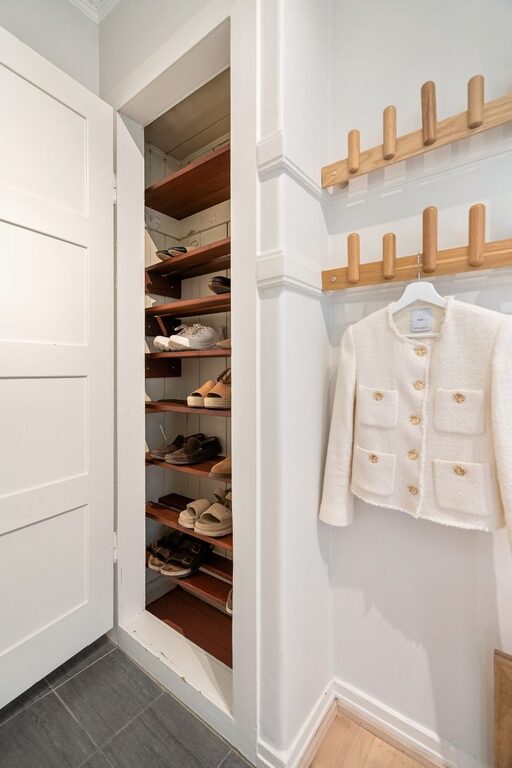
Simple Ways to Organize Your Entryway for a Clutter-Free Home
Discover easy and effective tips to organize your entryway, creating a welcoming, tidy space that [...]